SSR framework for Svelte 5 + Bun with islands-based selective hydration
On this page
Captcha
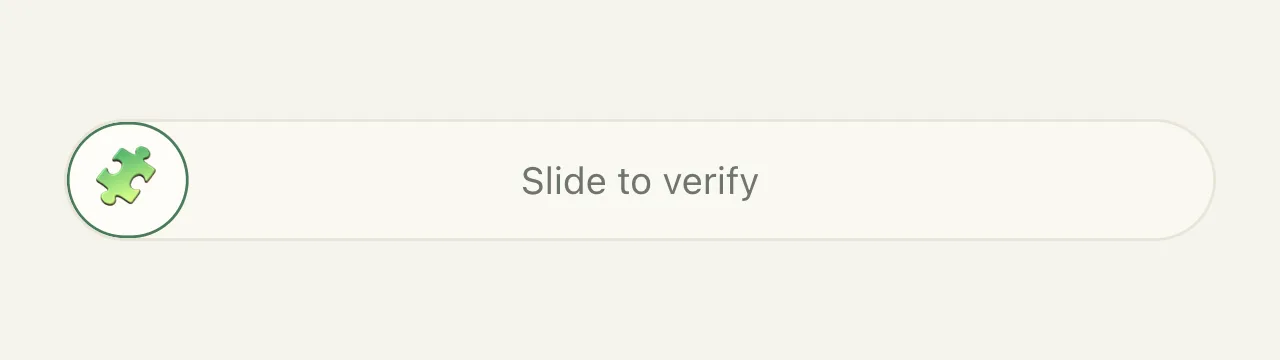
<MochiCaptcha /> is a slide-to-verify widget that gates form submissions without a third-party service or tracker. Mint a challenge in serverProps, render the component, verify in the action. To gate whole routes instead of forms, the same proof-of-work backs Protection Mode.
default — see Persistence for all features.
// src/routes.ts
import { Mochi, fail, success, mintCaptcha, verifyCaptcha } from 'mochi-framework';

export const routes = {
  '/contact': Mochi.page('./src/Contact.svelte', {
    serverProps: () => ({ captcha: mintCaptcha() }),
    actions: {
      send: async ({ formData }) => {
        const captcha = await verifyCaptcha(formData);
        if (!captcha.ok) {
          return fail(400, { error: captcha.error });
        }
        return success();
      },
    },
  }),
};
mintCaptcha() returns { token, bits, solveBudgetMs }. Spread it onto the component. The widget adds its own captcha_token and captcha_pow hidden inputs to the surrounding form, so verifyCaptcha(formData) needs nothing else.
<script lang="ts">
  import { MochiCaptcha } from 'mochi-framework/components';
  import type { MintedCaptcha } from 'mochi-framework';

  let { captcha }: { captcha: MintedCaptcha } = $props();
</script>

<form method="POST" action="?/send">
  <input name="email" type="email" required />
  <MochiCaptcha mochi:hydrate {...captcha} />
  <button type="submit">Send</button>
</form>
Hydration
The captcha runs entirely in the browser — the slider, the hash chain, and the proof-of-work. The server renders only a blank spacer the size of the widget, and the slider appears in its place once it hydrates. Wire it up one of two ways:
- Hydrate the captcha itself — put
mochi:hydrateon it, as above. - Hydrate the surrounding subtree — if the captcha sits inside a component you hydrate, it hydrates with it.
The subtree route is the common one. The moment you attach enhance to the form or bind verified to gate the submit button, you hydrate the form component anyway, and the captcha rides along. A binding cannot cross an island boundary, so bind:verified works only this way — the captcha and the code binding it must hydrate together.
<!-- src/ContactForm.svelte -->
<script lang="ts">
  import { enhance } from 'mochi-framework';
  import { MochiCaptcha } from 'mochi-framework/components';
  import type { MintedCaptcha } from 'mochi-framework';

  let { captcha }: { captcha: MintedCaptcha } = $props();
  let verified = $state(false);
</script>

<form method="POST" action="?/send" {@attach enhance()}>
  <input name="email" type="email" required />
  <MochiCaptcha {...captcha} bind:verified />
  <button type="submit" disabled={!verified}>Send</button>
</form>
bind:verified is optional. The server rejects an unsolved submission either way. With JavaScript off, the spacer shows a <noscript> message, overridable with noscriptLabel.
Props
| Prop | Default | Description |
|---|---|---|
token | — | The sealed challenge from mintCaptcha(). |
bits | 19 | Difficulty the widget solves at. Comes from mintCaptcha(). |
solveBudgetMs | 60_000 | Active solve time before the widget gives up. Comes from mintCaptcha(). |
emoji | 🧩 | The character on the handle. |
label | 'Slide to verify' | The hint shown in the track, also the handle’s accessible name. |
verifyingLabel | 'Verifying…' | Replaces the hint while the proof-of-work runs. |
verifiedLabel | 'Verified — thanks!' | Replaces the hint once the proof-of-work lands. |
errorLabel | see below | Shown if the widget cannot complete the challenge. |
noscriptLabel | see above | The <noscript> message. |
verified | false | $bindable — true once solved. |
<MochiCaptcha {...captcha} emoji="🍡" label="Slide the mochi to the right" />When it fails
Every failure is logged through the logger at error level, so it reaches production consoles. What the visitor sees depends on whether trying again could help.
- A proof-of-work that ran out of budget, or a hash that threw — the track becomes a retry button showing
errorLabel. The nonce search resumes where it stopped. - A missing
tokenor abitsvalue outside 1–32 — a configuration mistake, caught at mount, not retryable. In development the widget renders the cause. In production it falls back to a blank spacer, and the cause stays in the console.
Nothing is submitted from an errored widget: captcha_token and captcha_pow stay empty, so the server rejects it as unsolved.
How it works
Sliding the handle advances a SHA-256 hash chain one link per step. The final link is the proof-of-work challenge. The widget then brute-forces a nonce whose digest has bits leading zeros. Hashing is synchronous pure JS (@noble/hashes), so it works over plain http.
The token is encrypted and authenticated (AES-256-SIV, keyed from MOCHI_KEY) and seals the mint time, a one-time nonce, and the difficulty. A passing submission proves the page was fetched, the widget ran, and real hashing work was spent.
Options
Configure defaults on Mochi.serve():
await Mochi.serve({
  captcha: {
    bits: 19,
    minAgeMs: 2000,
    maxAgeMs: 900_000,
    store: 'memory',
  },
  routes,
});| Option | Default | Description |
|---|---|---|
bits | 19 | Proof-of-work difficulty in leading zero bits. Each extra bit doubles work. |
minAgeMs | 2000 | Reject tokens younger than this — the timing floor. |
maxAgeMs | 900_000 | Reject tokens older than this (15 minutes). |
store | 'memory' | One-time nonce store: 'memory', 'sqlite', or your own NonceStore. |
storePath | .mochi/captcha-nonces.sqlite | SQLite file when store: 'sqlite'. |
'memory' and 'sqlite' are the only built-in nonce backends; anything else — Redis, Postgres, your own database — is a custom NonceStore. See Persistence for how that compares across Mochi.
Every token failure returns the same message, so a probing bot cannot tell “too fast” from “tampered”.
The timing floor
minAgeMs is the only check that a submission took human time. The proof-of-work bounds an attacker’s cost (~2^bits hashes per token), not any single solver’s latency. A form with fields to type into runs past the 2s default. A form with nothing to fill in may not, so tune it per form with the captcha:minAgeMs filter.
Clock skew
A token’s age is Date.now() at verify minus the mint time sealed into the token. On one instance that is one clock, and the subtraction is exact. Across a multi-instance deploy the two reads come off different machines, so the difference also carries that pair’s clock skew. A verifier that runs behind the minter understates the age and can refuse a real submission as too fast.
To absorb this, Mochi adds a 30s allowance to maxAgeMs, adjustable with the captcha:driftAllowanceMs filter. It does not add one to minAgeMs.
Replay protection
A solved token is single-use. verifyCaptcha() burns its nonce on success. A second submission of the same token is rejected.
import type { NonceStore } from 'mochi-framework';

const store: NonceStore = {
  // Return false if the nonce was already spent. Must be atomic.
  consume: async (nonce, expiresAt) => (await redis.set(nonce, '1', { NX: true, PXAT: expiresAt })) === 'OK',
};
Pass { consume: false } when other validation could still reject the submission, then burn the nonce yourself once you commit. This way a fixable mistake does not cost the visitor their solved captcha:
send: async ({ formData }) => {
  const captcha = await verifyCaptcha(formData, { consume: false });
  if (!captcha.ok) {
    return fail(400, { error: captcha.error });
  }
  if (!isValidEmail(formData.get('email'))) {
    return fail(400, { error: 'Enter a valid email address.' }); // nonce survives
  }
  if (!(await consumeCaptcha(captcha))) {
    return fail(400, { error: 'Already submitted. Reload to send another.' });
  }
  await sendIt();
  return success();
},
Custom messages
captcha.error is ready to render. A failure also carries a reason, which is only ever 'replay' or 'rejected' (tampered, too-fast, expired, and bad proof-of-work all collapse into 'rejected'). To distinguish the rest, listen for the captcha:verify event — operators get the true cause, the client never does.
const captcha = await verifyCaptcha(formData);
if (!captcha.ok) {
  return fail(400, {
    error: captcha.reason === 'replay' ? 'You already sent this one — reload for a fresh form.' : captcha.error,
  });
}
Theming
Every colour is a CSS custom property whose default lives in the var() fallback, so the widget looks finished with no CSS. Set any of them on an ancestor and they inherit down:
.my-form {
  --mochi-captcha-accent: #4a7c59;
  --mochi-captcha-accent-soft: #e0ebe1;
  --mochi-captcha-accent-soft-text: #2f5b3f;
  --mochi-captcha-border: #e8e4d8;
  --mochi-captcha-track-bg: #faf8f1;
  --mochi-captcha-handle-bg: #fffdf8;
  --mochi-captcha-handle-text: var(--mochi-captcha-accent);
  --mochi-captcha-hint-text: #6e756d;
  --mochi-captcha-radius: 999px;
  --mochi-captcha-error-bg: #fdf3f2;
  --mochi-captcha-error-border: #e9c9c4;
  --mochi-captcha-error-text: #8a3324;
}
The three error properties apply only in the failure state.
--mochi-captcha-handle-text colours the emoji glyph and follows the accent unless you set it. It applies only to glyphs with a text presentation, such as ▶ or →. Colour-font emoji like 🍡 paint themselves and ignore CSS colour.
The defaults are light-mode only. In a dark or themed app, point these at your own tokens — --mochi-captcha-track-bg: var(--surface-muted) and so on — so the widget follows your theme. The track height (44px) and handle width (44px) drive the drag maths and are not themeable.
Testing
solveCaptcha() returns the exact fields the widget would submit, so form tests need no browser. Lower bits in the test server.
import { mintCaptcha, solveCaptcha } from 'mochi-framework';

await Mochi.serve({ captcha: { bits: 8, minAgeMs: 0 }, routes, port: 0 });

const res = await fetch(`${base}/contact/?/send`, {
  method: 'POST',
  headers: { 'Content-Type': 'application/x-www-form-urlencoded' },
  body: new URLSearchParams({ ...solveCaptcha(mintCaptcha()), email: 'ada@example.com' }),
});
API
| Export | Returns | Description |
|---|---|---|
mintCaptcha(options?) | { token, bits, solveBudgetMs } | Mint a single-use challenge. |
verifyCaptcha(formData, options?) | Promise<CaptchaResult> | Verify and (unless consume: false) burn the nonce. |
consumeCaptcha(result) | Promise<boolean> | Burn a deferred nonce; false if already spent. |
solveCaptcha(minted) | { captcha_token, captcha_pow } | Solve server-side, for tests. |
CaptchaResult is { ok: true; nonce: string; expiresAt: number } or { ok: false; reason: 'replay' | 'rejected'; error: string }.
See it in action
Live demos showing key concepts from this page